
YouTube features I hate
We all know and love YouTube. It’s a staple of the modern web, and has been the go-to place to share videos online for over 20 years. For something to thrive for so long with such a nigh-universal audience, it’s inevitable that changes will be made. Unfortunately, I’m not a fan of them all.
Default settings hell
Often I’ll want to watch something without it clogging up my history, so I’ll open YouTube in a private window. However this means I have to change multiple default video settings every time I start watching a video.
First there’s auto-play. Its sole purpose is to inflate views and increase ad revenue. I don’t think I’ve met anyone who chooses to keep it enabled. It’s also annoying how it overrides the ’loop video’ option.
Then there’s ambient mode, which is straight up weird. Colours on a video bleed out onto the rest of the page. It’s intended to emulate the glow of a TV at night, but really it makes the page look muddy.
Automated playlist hijacking
You ever just want to listen to a single song by itself? Well, YouTube doesn’t want you to. If you’re not logged into an account, YouTube turns any song you click on into an automatic playlist.
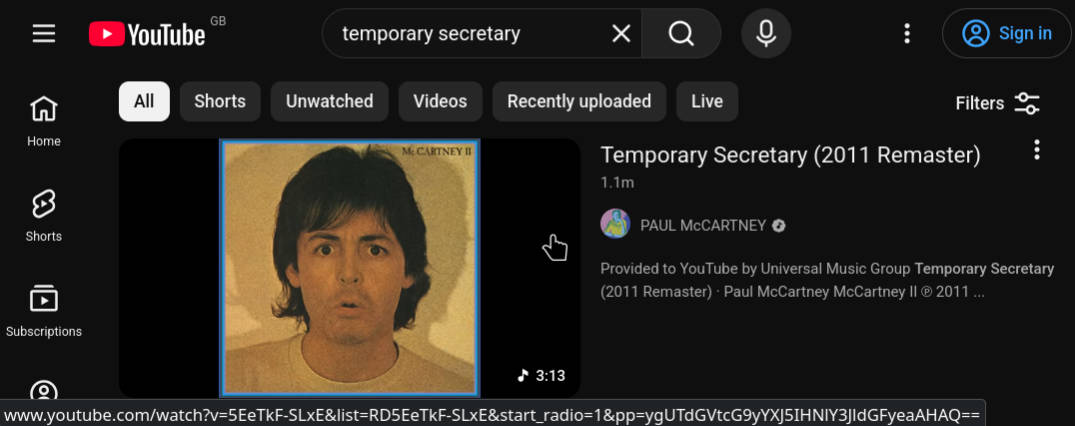
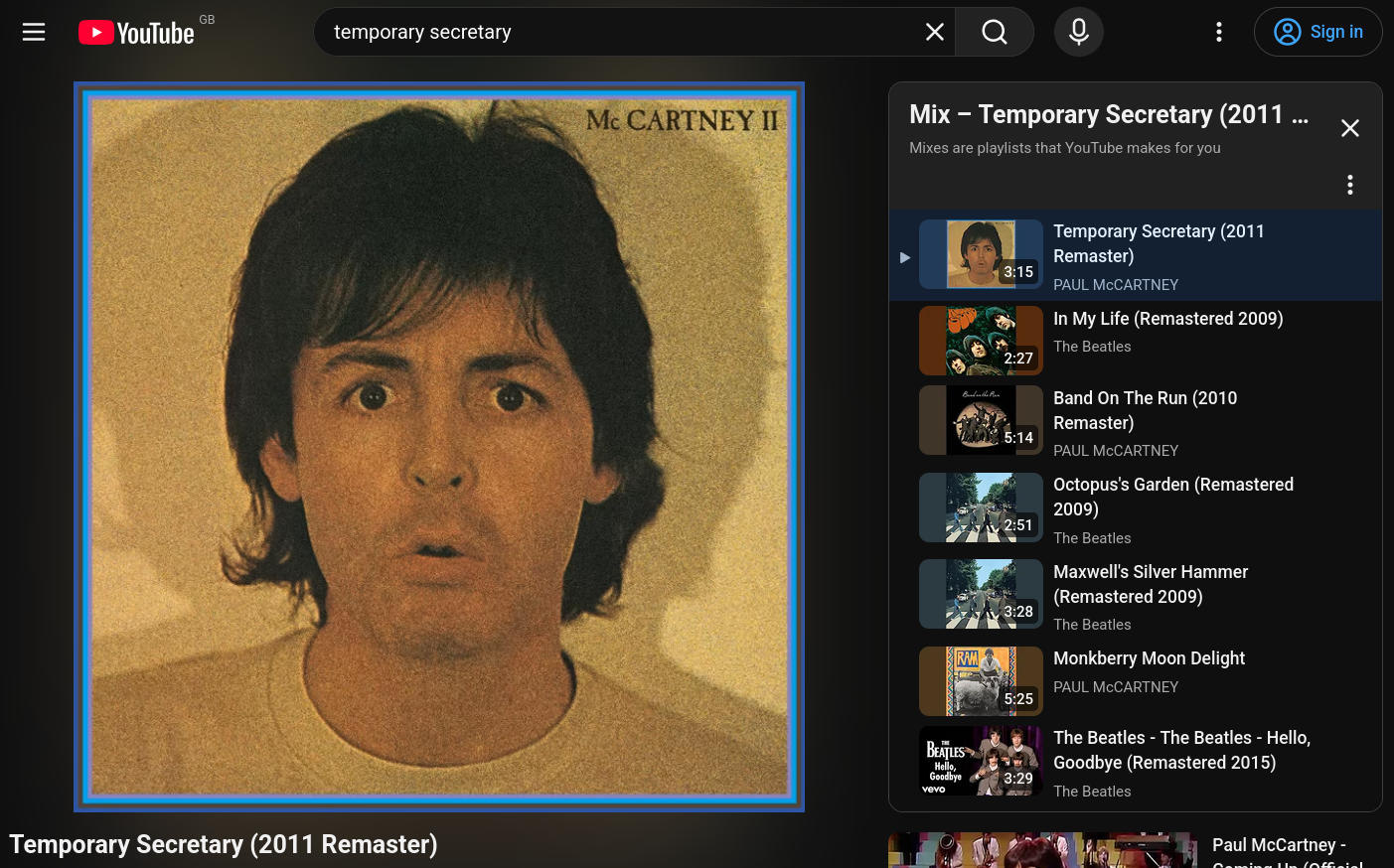
This wouldn’t be so bad if you could disable this on the page, but you can’t. The auto-play option is removed entirely, and the cross symbol on the playlist – the universal symbol for ‘close this’ – simply minimises it. The only way to remove the playlist is to manually edit the URL and delete everything following the & symbol.
The annoying thing is that if you search for songs on YouTube, they’ll display automated “Mix” music playlists in the results. If I wanted an automated playlist, I would’ve clicked on that instead of the song I wanted, but no. For whatever reason (again, to inflate views and get ad revenue) they tacked this on to regular videos when no-one asked for it.
Long youtu.be links, and doxxing risks
In the late 2000s, SMS was still king and Twitter was blowing up. What these mediums had in common were a 160-character limit. URL shorteners made it big by letting people share links that didn’t eat into that limit.
In 2009, YouTube introduced their own URL shortener, youtu.be. If you right-clicked on a video to copy the URL, you’d be given the truncated link to share.
In 2023, YouTube added a 16 character string to these links, starting with ?si=. Regardless of whether this means ‘share indicator’ or ‘source id’, we all know it’s about tracking users via share links.
This change also made it so truncated links are now longer than the default URLs, which just defeats the purpose of them. For example:
https://www.youtube.com/watch?v=dQw4w9WgXcQ
https://youtu.be/dQw4w9WgXcQ&si=abcdefghijklmnop
In 2026, these links now reveal your YouTube account. If your share link has the &si= string at the end, it’ll reveal your account to anyone who opens the link on the app:
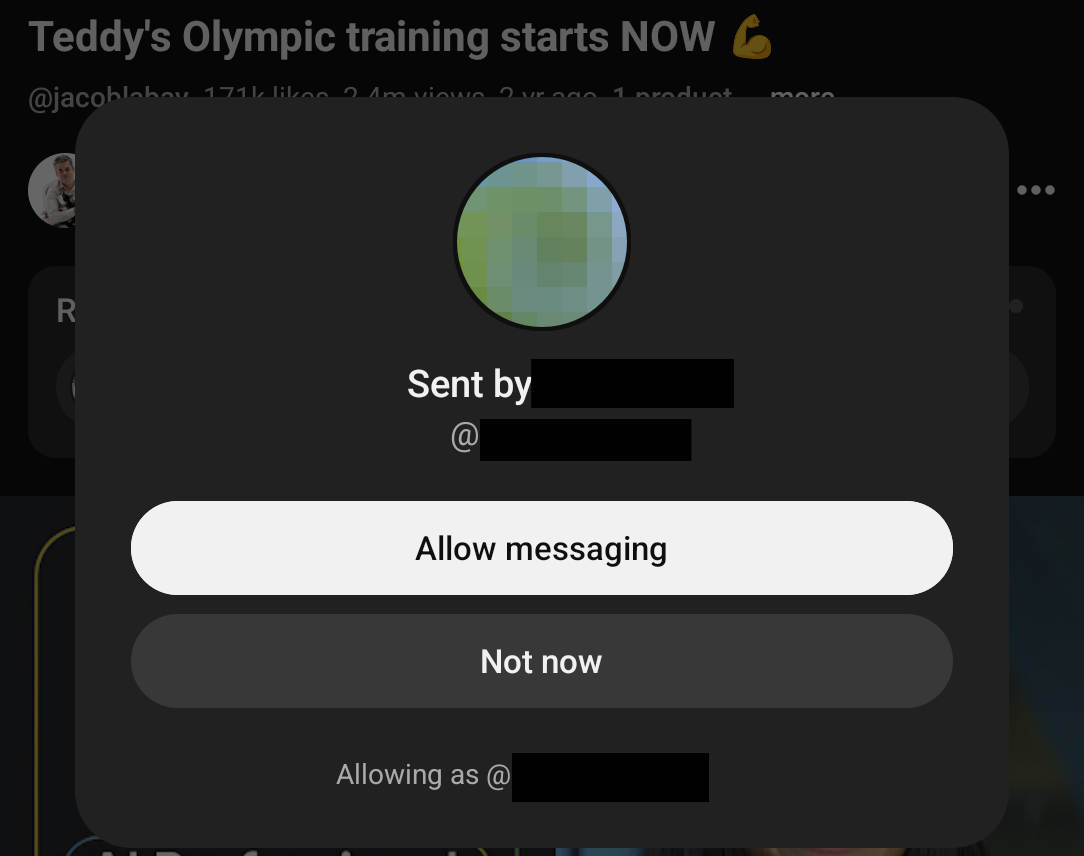
To stop others from seeing your account, delete everything in the link after the &.
You can also disable share links revealing your account through the YouTube app (but not on the website):
- Click on your profile picture
- Click the settings icon ⚙️
- Click Privacy
- Toggle ‘Channel visibility for shared links’
I find it insane that they added this functionality to links without informing everyone. You shouldn’t be risking your privacy by sharing a link to a video.
It was actually this change wot kicked off me writing all this. Thanks Google for yet another amazing feature.
Shorts
Putting aside all concerns about attention, addiction, and the fact they added a daily time limit option for watching shorts…
- Yes, I would like a video UI which obfuscates both the controls and the information about the video I’m watching
- Yes, I would like to have no control over what video comes next
- Yes, I would love the video to loop endlessly
- Yes, I would like my videos with a square or vertical aspect ratio to automatically become a short and be hidden away from the rest of the videos on my channel
Said no-one ever.
No should mean no
Amidst the sea of algorithm-based recommendations on the homepage, YouTube will butt in things I never asked for: namely Shorts and Games.
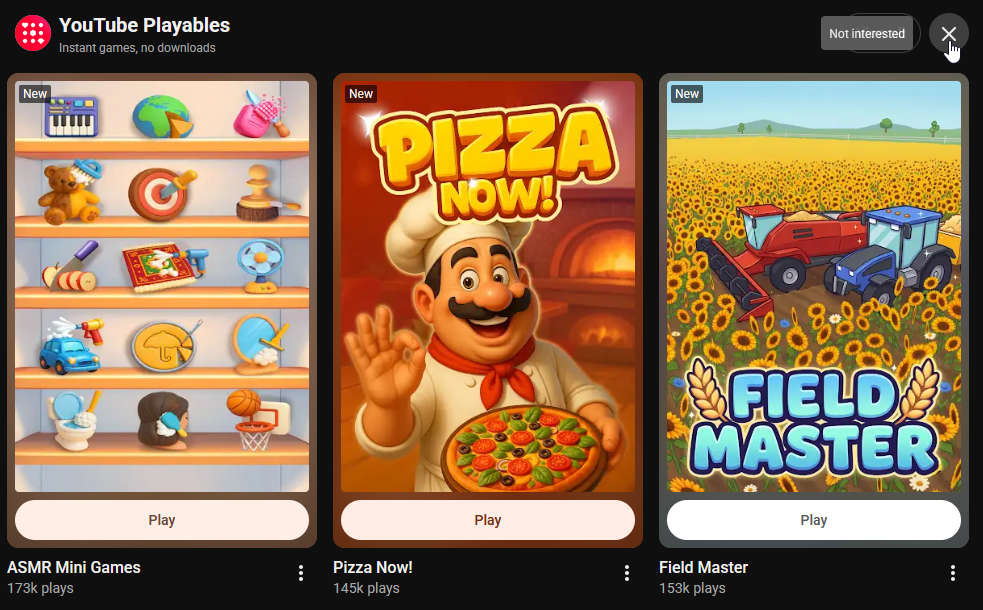
Can I disable these from showing up? Not really. You only get the option to disable them for an indeterminate amount of time, but it’s not long before they pop up again and take up half your homepage. You think they’d get the message after the 20th time I tried getting rid of them.
Stop removing search features
For no given reason, YouTube removed the “sort by: upload date” feature earlier this year. While they retained the filter to see uploads from today, this week, etc, they removal of chronological search sucks. It was useful to combine it with date search operators to find certain old videos. Good luck with that now.
It’s not the first time this happened. A few years back they removed the option to sort videos on a channel’s page by oldest to newest. Thankfully they reverted that change some time after, but it’s still crazy that they’d remove functionality like it.
Automatic chapters
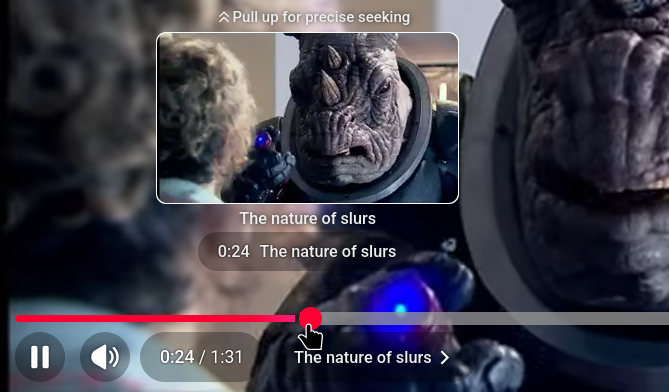
This is something I’m ambivalent about. YouTube scans a video and applies chapter markers based on the content within. In theory this could work well, but YouTube’s automated systems aren’t really up to scratch – and it also seems a little invasive.
Take this Doctor Who clip. The automated chapters are placed at arbitrary points and named without comprehension. That, and it mishears the word ‘slabs’:
The features I like
As much as I dislike the features above and find most of YouTube’s changes to be weird, I think it’d be unfair not to give credit to some of the more recent features I like:
- Comment threads: Okay, YouTube comments are still often a cesspit, but it’s easier to follow conversations now
- Automatic transcripts: Tucked away at the bottom of the video description is a button to view a transcript. While YouTube’s automated transcriptions may not be the best, the option to scroll & search through a transcript is a lifesaver.
- Video queue: If you’re watching something and you see a recommended video that seems interesting, you can add it to a queue so it automatically plays when the current video has finished.
- Scrub preview: Hovering your cursor above the scrubber – the red playthrough bar at the bottom – shows a thumbnail preview of the video. It’s great if you want to search for a specific moment.
- Extra speed controls: Recently YouTube added a slider to its speed controls. No longer are you locked to basic increments, you can now adjust the speed of a video to be exactly how you want.